 AICore Docs
图像API接口
Text-to-image (文生图)
根据文本描述生成图像的API接口,根据用户提供的文本描述,使用AI技术生成相应的图像内容。支持高质量图像生成,适合创意设计和内容创作需求
基本信息
POSTEndpoint
/v1/chat/completions模型名称:gemini-3.1-flash-image-preview
请求参数
| 路径 | 参数 | 类型 | 必填 | 说明 | 默认 |
|---|---|---|---|---|---|
| - | model | string | 是 | 模型名称,固定为 gemini-3.1-flash-image-preview | - |
| - | messages | array | 是 | 消息数组,包含用户输入的文本 | - |
| - | n | integer | 否 | 生成图片数量。传 2、3 等值时可一次返回多张图片 | 1 |
messages[] | role | string | 是 | 消息角色,固定为 user | - |
messages[] | content | string | 是 | 文本内容,描述要生成的图片 | - |
注意:
- text-to-image 模型仅需文本描述即可生成图片。
- 可通过
n参数一次生成多张图片,返回结果会出现在choices数组中。 - 默认会保持输出图片与输入图片尺寸一致;若未提供输入图片,则生成 1:1 的方图。
- 若需指定宽高比,可通过
extra_body.google.image_config.aspect_ratio选择以下预设值。 - 若需指定输出清晰度,可通过
extra_body.google.image_config.image_size设置,支持范围见下表,建议使用大写。
| 宽高比 | 分辨率 |
|---|---|
| 1:1 | 1024x1024 |
| 2:3 | 832x1248 |
| 3:2 | 1248x832 |
| 3:4 | 864x1184 |
| 4:3 | 1184x864 |
| 4:5 | 896x1152 |
| 5:4 | 1152x896 |
| 9:16 | 768x1344 |
| 16:9 | 1344x768 |
| 21:9 | 1536x672 |
| 模型 | image_size 支持值 |
|---|---|
gemini-3-pro-image-preview | 1K、2K、4K |
gemini-3.1-flash-image-preview | 512、1K、2K、4K |
请求示例
curl https://api.xty.app/v1/chat/completions \
  -H "Content-Type: application/json" \
  -H "Authorization: Bearer sk-xxxxx" \
  -d '{
    "model": "gemini-3.1-flash-image-preview",
    "n": 2,
    "messages": [
      {
        "role": "user",
        "content": "一只可爱的橙色小猫坐在彩虹桥上,卡通风格,明亮的色彩,高质量,详细"
      }
    ],
    "extra_body": {
      "google": {
        "image_config": {
          "aspect_ratio": "16:9",
          "image_size": "2K"
        }
      }
    }
  }'
import requests
import json
url = "https://api.xty.app/v1/chat/completions"
headers = {
"Content-Type": "application/json",
"Authorization": "Bearer sk-xxxxx"
}
data = {
"model": "gemini-3.1-flash-image-preview",
"n": 2,
"messages": [
{
"role": "user",
"content": "一只可爱的橙色小猫坐在彩虹桥上,卡通风格,明亮的色彩,高质量,详细"
}
],
"extra_body": {
"google": {
"image_config": {
"aspect_ratio": "16:9",
"image_size": "2K"
}
}
}
}
response = requests.post(url, headers=headers, data=json.dumps(data))
print(response.json())from openai import OpenAI
import httpx
client = OpenAI(
base_url="https://api.xty.app/v1",
api_key="sk-xxxxx",
http_client=httpx.Client(
base_url="https://api.xty.app/v1",
follow_redirects=True,
),
)
response = client.chat.completions.create(
model="gemini-3.1-flash-image-preview",
n=2,
messages=[
{
"role": "user",
"content": "一只可爱的橙色小猫坐在彩虹桥上,卡通风格,明亮的色彩,高质量,详细"
}
],
extra_body={
"extra_body": {
"google": {
"image_config": {
"aspect_ratio": "16:9",
"image_size": "2K"
}
}
}
}
)
print(response)fetch("https://api.xty.app/v1/chat/completions", {
method: "POST",
headers: {
"Content-Type": "application/json",
"Authorization": "Bearer sk-xxxxx"
},
body: JSON.stringify({
model: "gemini-3.1-flash-image-preview",
n: 2,
messages: [
{
role: "user",
content: "一只可爱的橙色小猫坐在彩虹桥上,卡通风格,明亮的色彩,高质量,详细"
}
],
"extra_body": {
"google": {
"image_config": {
"aspect_ratio": "16:9",
"image_size": "2K"
}
}
}
})
})
.then(response => response.json())
.then(data => console.log(data));响应示例
成功响应
{
"id": "gemini-1704067200000",
"object": "chat.completion",
"created": 1704067200,
"model": "gemini-3.1-flash-image-preview",
"choices": [
{
"index": 0,
"finish_reason": "stop",
"message": {
"role": "assistant",
"content": "这是第 1 张图片:"
}
},
{
"index": 1,
"finish_reason": "stop",
"message": {
"role": "assistant",
"content": "这是第 2 张图片:"
}
}
],
"usage": {
"prompt_tokens": 0,
"completion_tokens": 0,
"total_tokens": 0
}
}错误响应
{
  "error": {
    "message": "请求失败",
    "type": "invalid_request_error",
    "param": null,
    "code": null
  }
}
提示词编写指南
基本结构
- 主体描述:要生成什么(人物、物体、场景)
- 风格定义:艺术风格、绘画技法
- 细节补充:颜色、光线、构图等
示例提示词
人物肖像
一位美丽的亚洲女性,长发飘逸,微笑,专业摄影,柔和光线,高清,细节丰富风景场景
日出时分的山脉景色,金色阳光,云海翻腾,宽阔视角,风景摄影,8K高清艺术作品
油画风格的向日葵花田,梵高风格,厚重笔触,明亮色彩,艺术masterpiece效果展示
输入示例
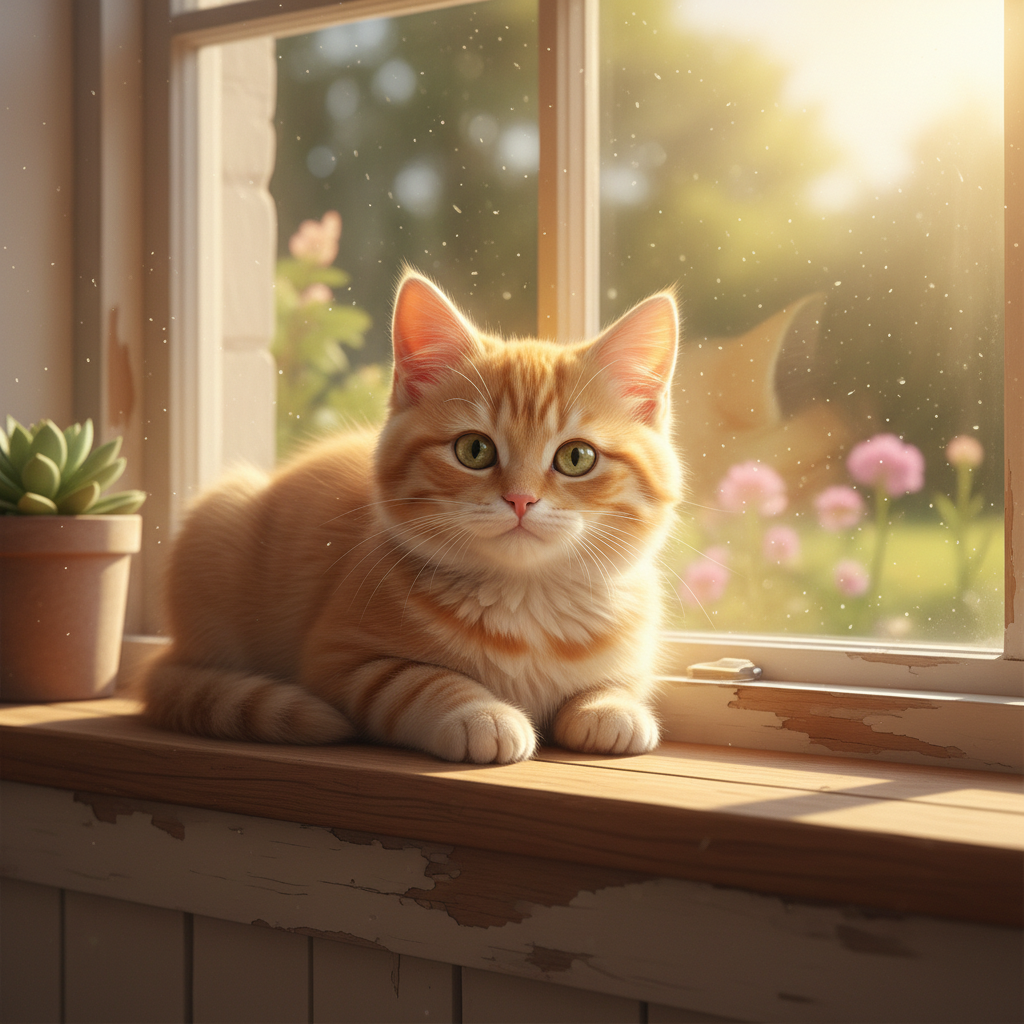
输入文字:一只可爱的橙色小猫坐在窗台上,阳光透过窗户洒在它身上,温暖的光线,高清摄影
输出结果
输出图片:
使用技巧
最佳实践
- 描述清晰:提供清晰、具体的描述
- 风格一致:保持整体风格的一致性
- 细节丰富:添加颜色、光线、构图等细节描述
- 批量生成:需要多个方案时可设置
n > 1,一次获取多张候选图进行筛选
注意事项
- 内容审核:生成内容会经过安全审核
- 版权合规:请确保生成内容的合法使用
- 处理时间:根据提示词复杂度,处理时间在5-15秒之间
- URL有效期:返回的图像URL地址有效期为1个小时,请及时保存或下载
- 返回结构:当设置
n > 1时,会返回多个choices,每个choice对应一张生成图片